How do I give someone else access?
You can share the event with your partner, family or a wedding planner.
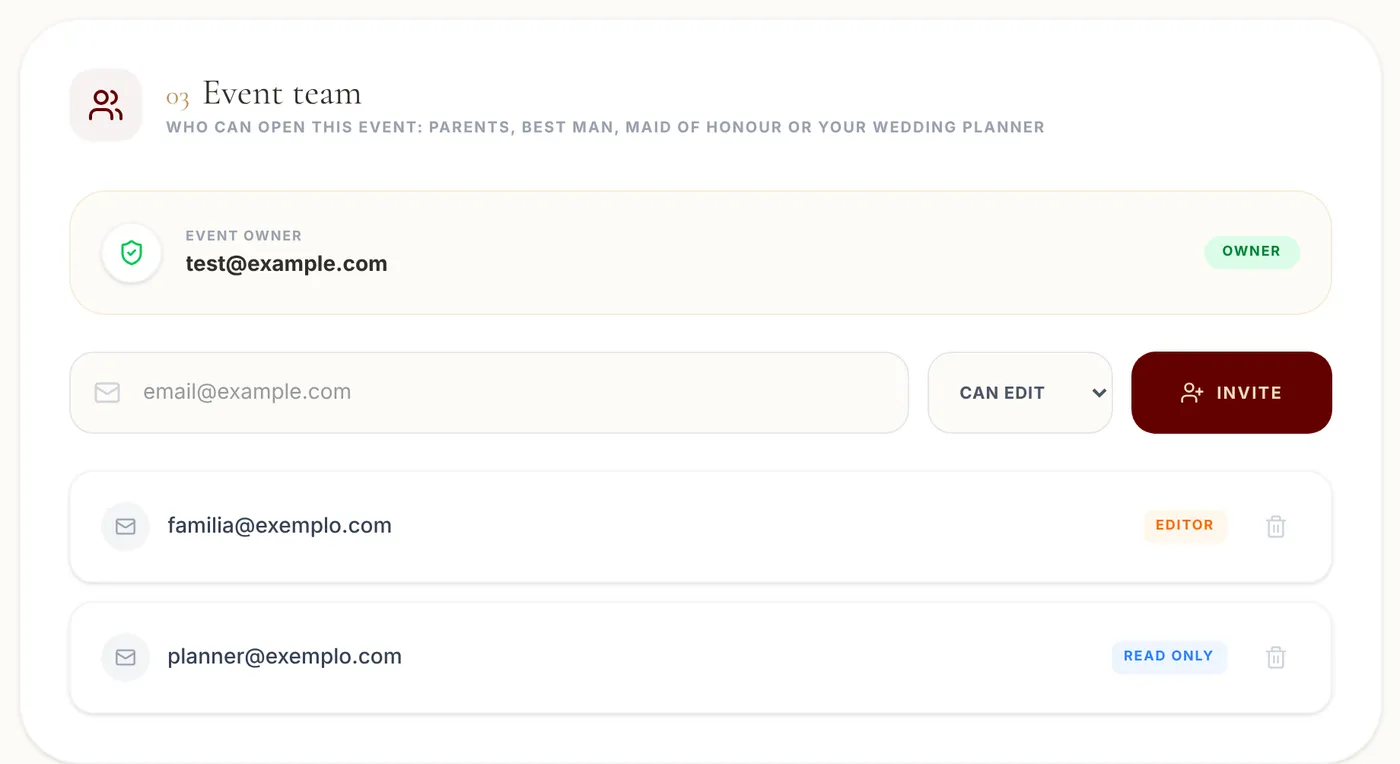
Step by step
- 1
Open My Account and go to Event team.
- 2
Enter the person's email.
- 3
Choose Can Edit (can change everything) or Read Only (can only view).
- 4
Click Invite.
Tips
- The person logs in with that email and sees the event under Shared With Me. If they don't have an account yet, they create one with the same email.
- To take access away, remove the person from the list. Only people who can edit the event can invite or remove others.