Every guest's photos, in one album shared in real time
During the party, every guest takes their own photos with their phone, often catching moments the official photographer never would. With a simple QR code, those moments are automatically gathered into a digital album that's all yours, and can even be projected live on a screen, turning the reception into a true wall of memories.
Step by step
From the dashboard to the party, in four steps
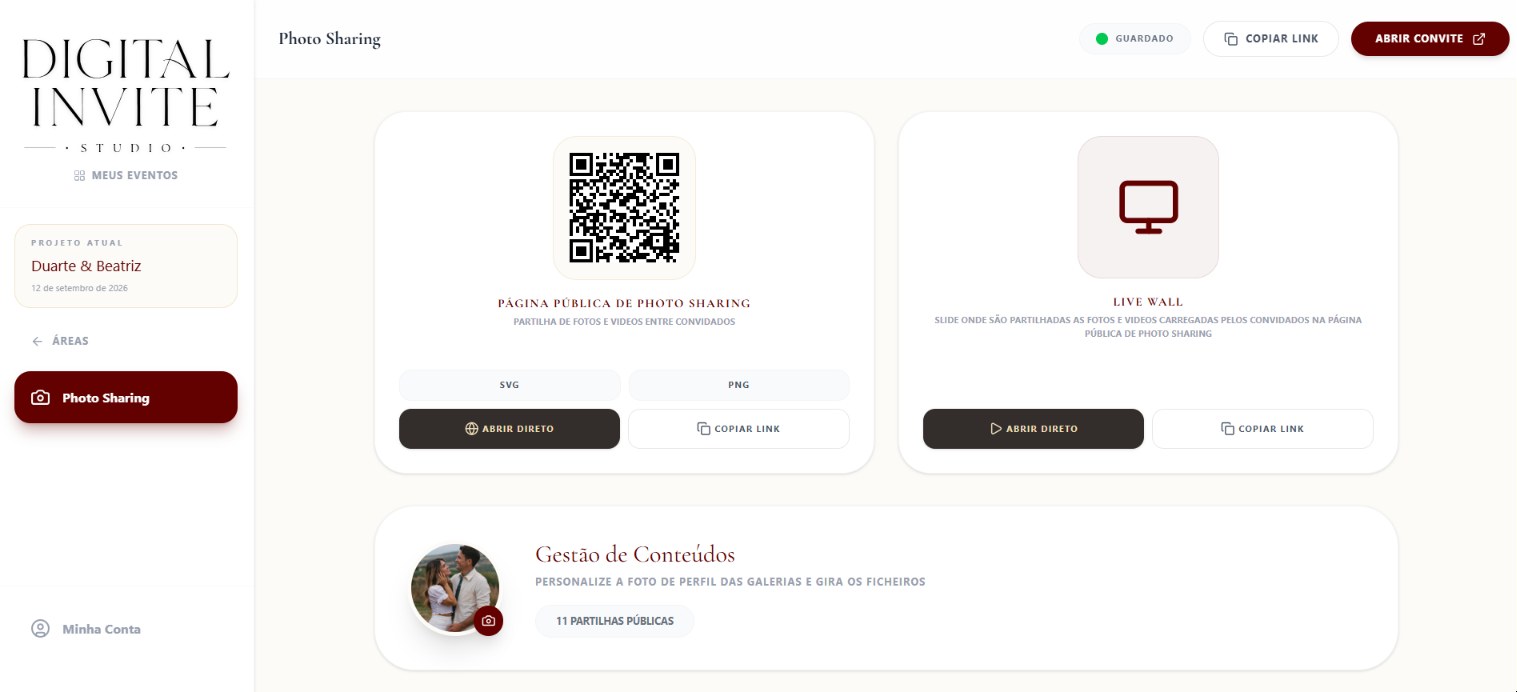
Set it up in minutes
In your dashboard, you pick the gallery's profile photo and instantly get an automatically generated QR code, ready to download and print, or a direct link to share however you like.
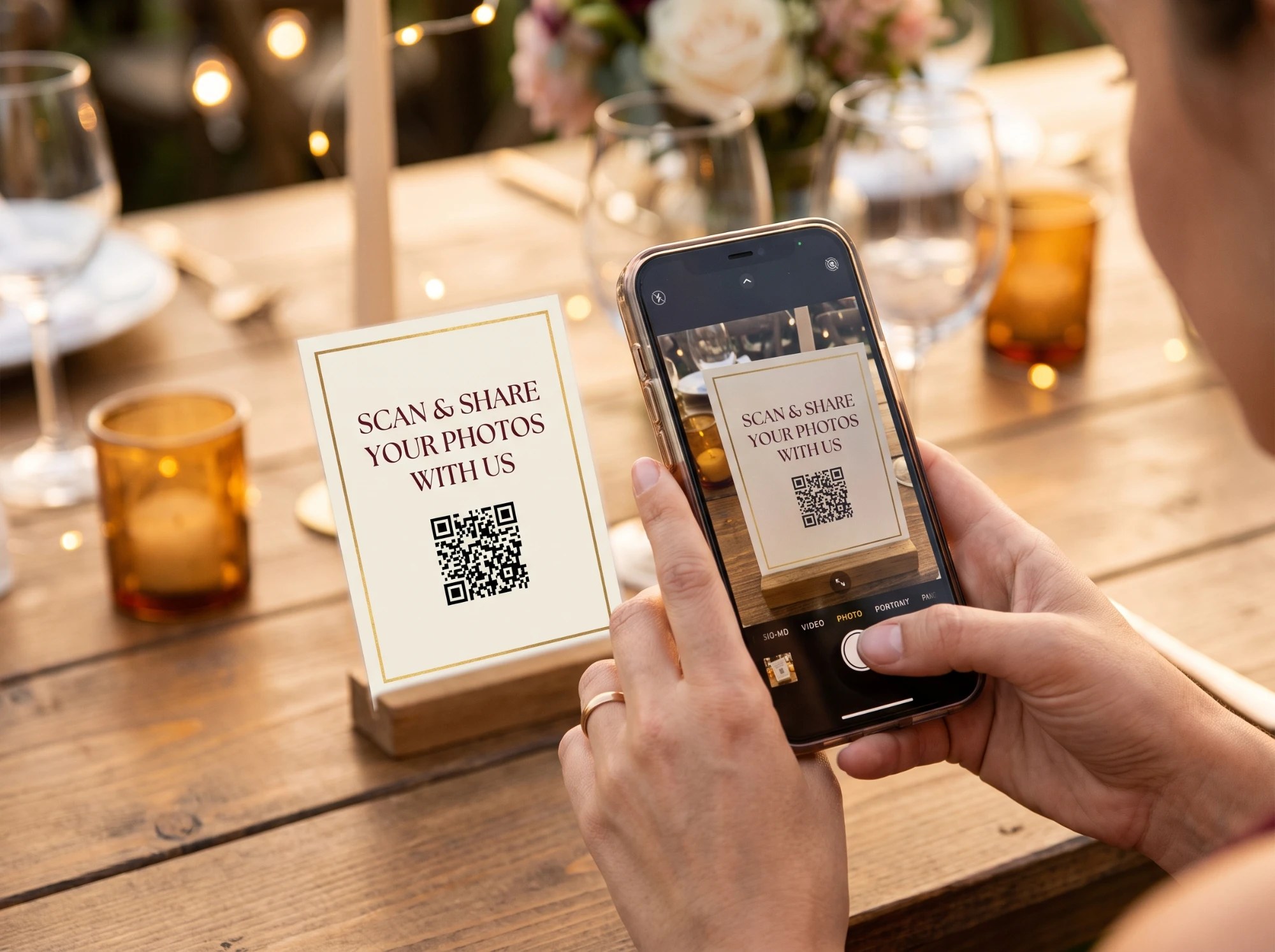
A card ready for guests
Place the QR code on a table, at the bar, or wherever makes sense at the event. Any guest points their phone camera at it and is in the gallery within seconds, nothing to install.

Guests browse and upload photos
Each guest sees the photos already shared and uploads their own, straight from their phone, throughout the whole party.

Everything on the big screen, in real time
Turn on Live Wall mode on a TV or LED panel in the room, and photos appear in a slideshow as they come in, turning the reception into a live wall of memories.
After the big day, the dashboard keeps it all: review the photos, delete what you don't want, and download everything as a single ZIP, to keep forever.
What's included
In practice
A live wall at the reception
They connect a laptop to a TV in the room and turn on Live Wall: the photos guests are taking appear on screen minutes after being uploaded.
An effortless album
The next day, they download a ZIP with hundreds of photos and videos taken by every guest, without having to ask each one individually.
Instant access
Guests just point their phone camera at the QR code on a table to start uploading photos, nothing to install.