Your guest list and seating plan, always up to date
No more spreadsheets. Add your guests, track who has confirmed, who still needs to respond and who has dietary restrictions, all in a single dashboard. Then design the seating plan visually, dragging each guest to the right seat, and let them find their own table on the day of the event.
Step by step
From the guest list to the seating chart, always in sync
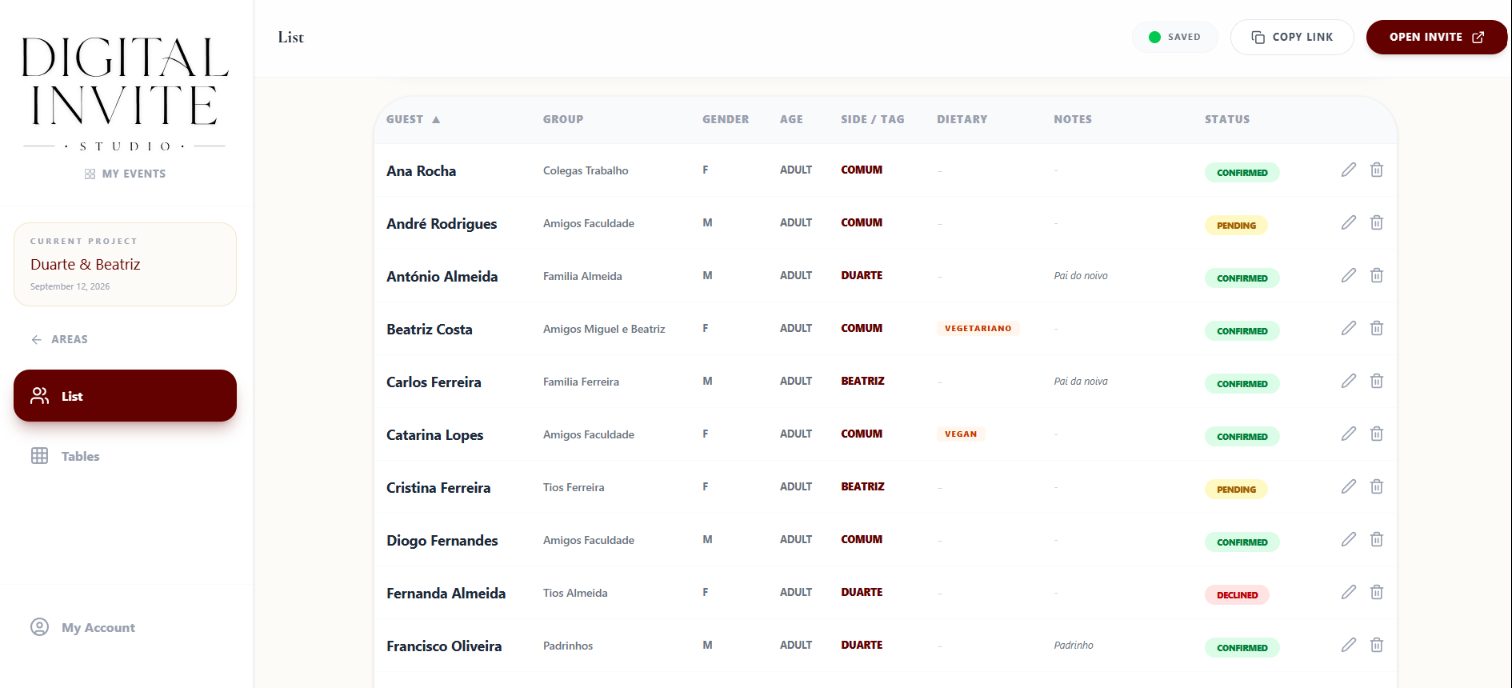
The list stays up to date on its own
Add each guest once, and the dashboard shows in real time who's confirmed, who's still to respond, and who has dietary restrictions.
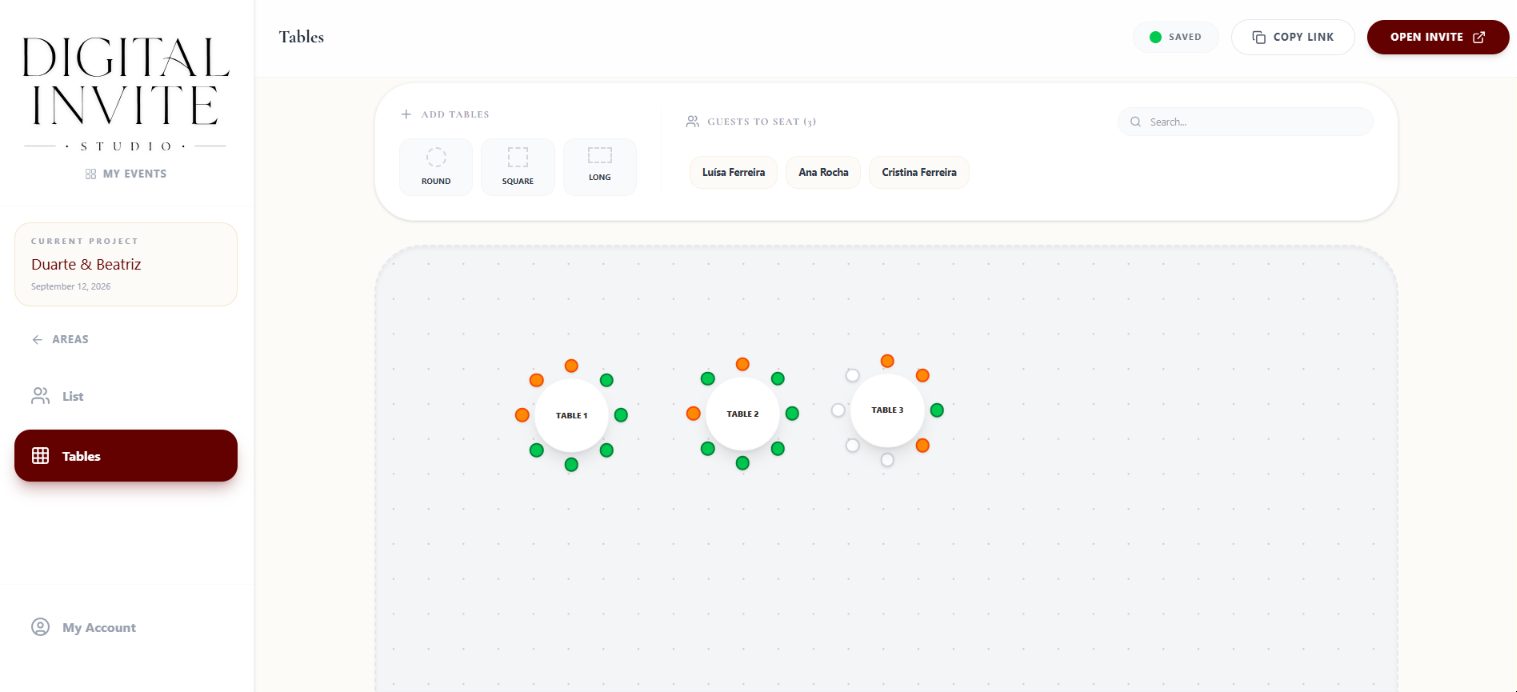
Drag and drop your seating chart
Place each guest at the right table visually, in an editor that works just as well on a laptop as on a phone.

Every RSVP updates everything automatically
When a guest confirms through the invitation, they're instantly available to assign to a table, nothing to copy by hand.
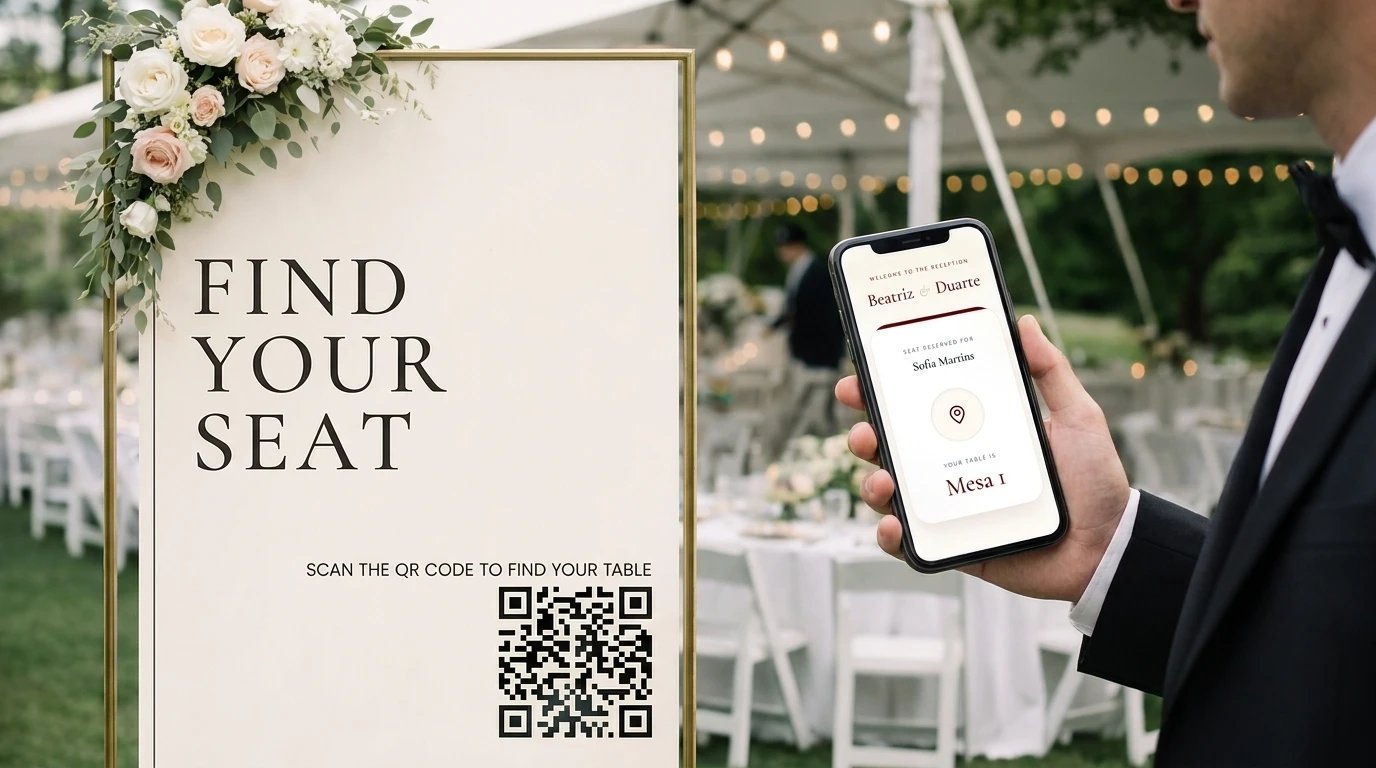
On the day, guests find their own table
Each guest types their name on a page on their phone and instantly discovers which table is theirs, no queues, no questions.
At the end, export the guest list and seating chart as a PDF, already branded with your logo, ready to print.
What's included
In practice
Automatic sync
A guest confirms attendance through the invitation and automatically becomes available to assign to a table, no need to add them by hand.
Last-minute reshuffle
Two guests cancel three days before the wedding? Drag them off the table and reorganise the rest in seconds.
Guests find their own seat
At the wedding entrance, guests type their name on a page on their phone and instantly discover which table is theirs.